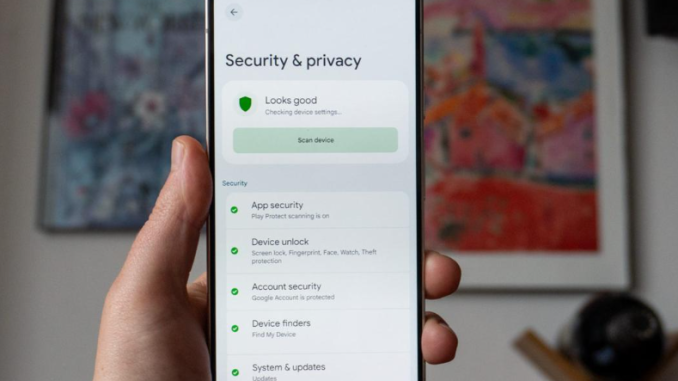
Your smartphone contains personal conversations, photographs, bank alerts, emails and sometimes access to your financial accounts. Yet many people use their phones every day without checking the privacy settings. A few simple changes can reduce the amount of personal information exposed if your phone is lost or accessed by someone else.
1. Turn on a strong screen lock: Use a PIN, password or secure biometric lock. Avoid simple combinations such as 1234 or your date of birth because they may be easy for someone who knows you to guess.
2. Hide sensitive notifications: Your phone may display bank alerts, private messages and verification codes on the lock screen. Adjust notification settings so sensitive content is hidden when the phone is locked.
3. Review app permissions: Check which applications can access your camera, microphone, contacts, location and photographs. Remove permissions that an app does not genuinely need.
4. Enable two-step verification: Where available, activate two-factor authentication for email, social media and financial services. This adds another layer of protection beyond your password.
5. Activate phone-finding features: Use the official Find My Device or Find My iPhone feature. These services may help you locate, lock or erase a missing phone, depending on its settings and connection.
6. Keep your operating system updated: Updates often include security fixes. Install updates from your phone’s official settings rather than clicking unknown links that claim to offer an update.
7. Check connected devices on messaging apps: Review devices linked to your messaging accounts and log out of any device you do not recognise. This is particularly important if you have used a public or borrowed computer.
Final thoughts: Protecting your phone does not require expensive software. Reviewing permissions, using strong passwords and enabling security features can make a meaningful difference. Never share your banking PIN, password or one-time verification code with someone who contacts you unexpectedly, even if the person claims to represent your bank.
Leave a Reply