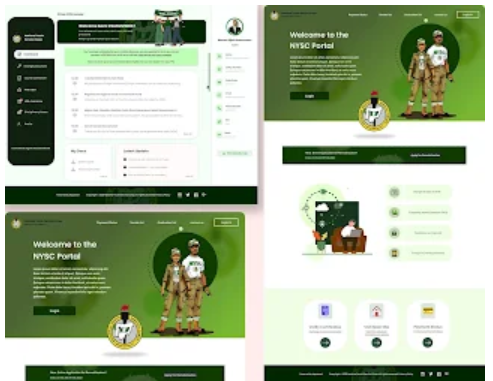
Corps members who have been deployed to a state different from their preferred location may have an opportunity to request relocation through the National Youth Service Corps (NYSC) dashboard. The process is handled online, allowing eligible corps members to submit their applications without relying on unofficial agents or intermediaries.
According to the relocation instructions issued to deployed corps members, applicants are expected to log in to their NYSC dashboard, select the Relocation option and follow the instructions displayed on the page to complete and submit their applications.
However, completing the application correctly is important. Applicants should select the appropriate option, provide accurate information and submit any supporting documents requested by the portal. In this guide, we explain how to apply for NYSC relocation on your dashboard, the information to prepare, what happens after submission and how to avoid common application mistakes.

What Is NYSC Relocation?
NYSC relocation, also commonly called redeployment, is the process through which a corps member requests to be moved from their state of deployment to another state during the service year.
The National Youth Service Corps provides an online relocation process for eligible corps members. Applications are reviewed by the appropriate NYSC authorities before a change of deployment can take effect.
Relocation should not be confused with an ordinary request to change a Place of Primary Assignment (PPA). A relocation application concerns the state in which a corps member is expected to continue serving, while other posting-related concerns should be directed to the relevant NYSC officials.
NYSC’s published information identifies marital and serious health grounds among the recognised circumstances for concessional posting and relocation. Corps members should therefore ensure that their applications are based on genuine circumstances and comply with the instructions issued by the scheme.
Requirements Before Applying for NYSC Relocation
Before accessing the relocation section of your dashboard, we recommend preparing your information and any documents relevant to your application. This will help you complete the process correctly and avoid unnecessary delays.
1. Active NYSC Dashboard Account
You must have access to the NYSC dashboard associated with your registration. Your registered email address and password are used to access your account.
Make sure you are logging in through the official NYSC portal. Avoid websites or individuals claiming they can process your relocation outside the approved NYSC procedure.
2. Correct Personal Information
Ensure that the information you provide matches your official NYSC records and supporting documents. Your name, registration details and other requested information should be entered accurately.
Where the application asks you to select a reason for relocation or provide additional information, choose the option that genuinely applies to your situation.
3. Supporting Documents Where Required
Depending on the reason for your application, NYSC may require supporting documents. Prepare the relevant evidence before starting the process.
For example, the official NYSC FAQ identifies documents required for certain marital and health-related applications. Married female corps members seeking relocation to their husband’s state of domicile should pay particular attention to the marriage and supporting identification documents requested by NYSC.
How to Apply for Relocation on Your NYSC Dashboard
Corps members who have been instructed to apply online can follow the steps below to submit their relocation requests through the NYSC dashboard.
Step 1: Visit the Official NYSC Portal
First, open the official NYSC portal by visiting portal.nysc.org.ng.
Make sure you are using the official website before entering your account information. This is important because unofficial websites may request personal information under the pretence of helping corps members process relocation applications.
Step 2: Log In to Your NYSC Dashboard
After opening the portal, proceed to the login section and enter your registered email address and password.
Check your login details carefully before proceeding. Once the information has been entered correctly, access your dashboard to view the services available to you as a registered corps member.
If you cannot remember your password, use the appropriate account recovery option on the official portal rather than creating another account or sharing your login details with another person.
Step 3: Click on the Relocation Option
After successfully logging in, locate the Relocation option on your NYSC dashboard.
Click on it to access the relocation application section. This is the option deployed corps members have been instructed to use when submitting their online relocation requests.
Important: Make sure you select the actual Relocation option. Do not select an unrelated service or make changes to other sections of your dashboard when your intention is to apply for relocation.

Step 4: Follow the Instructions Displayed on the Page
After clicking Relocation, read the instructions displayed on the application page before entering any information.
The portal will guide you through the available application requirements. Depending on the options provided, you may be required to select the appropriate reason for relocation, supply additional information or provide supporting documents.
We advise corps members not to rush through this stage. Read each instruction carefully and ensure that the information supplied corresponds with the reason for the application.
Where the portal requests documents, upload the correct supporting evidence in the format accepted by the system. Do not upload unrelated files or documents that contain information different from what you have entered in the application.
Step 5: Review Your Relocation Application
Before submitting your application, take time to review all the information you have provided.
Check the following details:
- Whether you selected the correct relocation option.
- Whether your personal information is accurate.
- Whether the reason for your application is correctly indicated.
- Whether all required information has been supplied.
- Whether the supporting documents are correct and readable, where applicable.
Correct any mistakes before moving to the next stage. Providing incorrect information or uploading documents that do not support your application may create complications during the verification process.
Step 6: Submit Your Relocation Application
After confirming that everything is correct, proceed to submit your relocation application using the submission option provided on the portal.
Wait for the portal to process your request and display the appropriate response. Avoid closing the page immediately if the system is still processing your submission.
Where possible, keep a record of the submission confirmation or any reference information provided by the portal. This may be useful when following up on your application.
Step 7: Monitor Your Application for an Update
Submitting your application is not the final stage of the relocation process. Your request must undergo the appropriate review before NYSC can effect a change of deployment.
Continue checking your NYSC dashboard for updates. Also, follow any additional instructions communicated through the official channels.
Where your application is approved, follow the instructions provided by NYSC concerning your relocation letter and reporting arrangements. Do not assume that your relocation has been approved simply because you have completed and submitted the online form.
Documents Required for NYSC Relocation
The documents required depend on the reason for the application. It is important to understand the requirements applicable to your circumstances rather than uploading random documents.
Relocation on Marital Grounds
According to the official NYSC FAQ, married female prospective corps members seeking concessional posting to their husband’s state of domicile are expected to provide relevant marital evidence.
For corps members seeking relocation from their current state of deployment to their husband’s state of domicile, the NYSC FAQ lists the following supporting documents:
- Marriage certificate: Evidence establishing the marriage.
- Newspaper publication for change of name: Where applicable, evidence of the change of name following marriage.
- Letter from the husband’s employer: Supporting information relating to the husband’s employment and location.
- Husband’s means of identification: An acceptable identification document belonging to the husband.
Applicants should check the current instructions on the NYSC portal for the exact documents and format required for their application.
Relocation on Health Grounds
NYSC also recognises serious health challenges as a basis for concessional posting and relocation.
The official NYSC FAQ identifies the following medical evidence for health-related concessional posting:
- A medical report from a Federal or State General Hospital.
- The doctor’s details.
Applicants should provide genuine and relevant medical evidence. Where a medical report is requested, ensure that it is clear, authentic and issued by an appropriate medical facility.
We advise corps members to follow the specific requirements displayed during their application because the documents needed may depend on the nature of the request.
How Long Does NYSC Relocation Approval Take?
One of the questions frequently asked by corps members is how long they must wait after submitting a relocation application.
There is no single approval period that should be assumed for every application. The processing of a request depends on the applicable NYSC procedures and the review of the submitted information.
NYSC’s official description of its Deployment and Relocation Division explains that relocation applications undergo online scrutiny. It also states that State Coordinators make the appropriate online recommendations before relocations are effected.
This means that an application may require further administrative review after submission. Corps members should therefore monitor their dashboards and wait for official communication instead of relying on unofficial approval dates.
When Can Corps Members Apply for NYSC Relocation?
The timing of relocation applications is another important consideration.
According to the relocation information published by NYSC, corps members can apply for relocation on marital or health grounds during the orientation camp. The organisation also explains that other relocations after the camp exercise are processed online, with the published guidance stating that these applications are carried out three months after the orientation course.
The same NYSC information states that relocation exercises stop six months into the service year.
However, corps members should pay attention to specific announcements and instructions issued for their mobilisation batch. Where NYSC provides a particular application window or instructs a group of deployed corps members to use the dashboard, applicants should follow that official notice.
For this reason, we recommend checking the latest announcements from the official NYSC website alongside the information displayed on your dashboard.
Common Mistakes to Avoid When Applying for NYSC Relocation
Although the online application process is straightforward, applicants should avoid mistakes that could affect the accuracy of their submissions.
1. Selecting the Wrong Application Option
Do not select an option simply because it appears suitable. Read the available choices and select the one that correctly represents your circumstances.
2. Providing Incorrect Information
Ensure that all the information supplied is accurate. The details on your application should agree with your NYSC records and supporting documents.
3. Uploading Unclear or Incorrect Documents
Where documents are required, ensure that they are readable and relevant to the application. Poor-quality scans, incomplete documents and unrelated attachments can complicate the review process.
4. Assuming Submission Means Approval
This is one of the most important mistakes to avoid. A successful submission only means that your request has been sent for consideration. It does not mean that NYSC has approved the relocation.
5. Paying Unofficial Agents
Corps members should be cautious of individuals demanding money to guarantee relocation approval. Use the official NYSC portal and follow instructions from authorised NYSC officials.
Never share your dashboard password, verification codes or sensitive account information with strangers.
What Should You Do If the Relocation Option Is Not Showing on Your Dashboard?
Some corps members may log in and discover that the Relocation option is not available on their dashboards.
If this happens, first confirm that you are accessing the correct account and using the official NYSC portal. You can also log out and log in again or retry using an updated browser.
If the option remains unavailable, do not assume that your account is permanently restricted. The availability of portal services may depend on the applicable application arrangements, your service stage or technical issues.
We recommend contacting the NYSC State Secretariat or the appropriate NYSC support channel for clarification. Explain the issue and provide the relevant details requested by the officials.
Avoid submitting your password or other confidential account information to anyone claiming to offer technical assistance through social media or messaging platforms.

Frequently Asked Questions About NYSC Relocation
1. Can I apply for NYSC relocation through my dashboard?
Yes. NYSC provides an online relocation application facility for eligible corps members. To apply, log in to your dashboard, click on Relocation and follow the instructions displayed on the page.
2. Is NYSC relocation application done online?
Yes. NYSC’s published relocation procedure includes online applications. The organisation’s Deployment and Relocation Division handles online relocation processes and the scrutiny of applications.
3. Does submitting a relocation application mean it has been approved?
No. Submission does not automatically mean approval. The application must be reviewed through the appropriate NYSC procedures before relocation can take effect.
4. What are the recognised reasons for NYSC relocation?
The official NYSC information identifies marital and serious health grounds for concessional posting and relocation. Applicants should follow the current requirements and select only the option applicable to their circumstances.
5. What documents are required for relocation on marital grounds?
The NYSC FAQ lists a marriage certificate, newspaper publication for change of name, a letter from the husband’s employer and the husband’s means of identification for certain applications to relocate to the husband’s state of domicile.
6. What documents are required for NYSC relocation on health grounds?
The official FAQ identifies a medical report from a Federal or State General Hospital and the doctor’s details as supporting evidence for health-related concessional posting.
7. Where can I check my NYSC relocation application?
You should monitor your official NYSC dashboard for application updates. Follow any additional instructions communicated by the NYSC authorities.
8. Can I move to another state immediately after submitting my application?
You should not move or abandon your present place of service simply because you have submitted a relocation request. Wait for official approval and the reporting instructions issued by NYSC before making arrangements to continue service in another state.
Final Advice to Corps Members Applying for Relocation
Applying for relocation on your NYSC dashboard is an important process that requires attention to detail. Corps members who have been instructed to apply should log in through the official portal, click on the Relocation option and follow the instructions provided on the application page.
Before submitting your request, ensure that you select the correct option, provide accurate information and attach all supporting documents required for your particular application.
Most importantly, continue monitoring your dashboard after submission and wait for official confirmation before taking any action based on the proposed relocation.
Leave a Reply